Session 1: Thus far we have dived into the deep end of creative coding with knowledge of few strokes to keep us afloat. Fortunately it is not possible to literally drown from learning code. We have excellent resources that expand our understanding of these languages. Let’s take a look at Object Oriented Programming with JavaScript this week. Please review Working with Objects from MDN for a more detailed explanation of how JavaScript handles OOP. We will use the ES6 object syntax:
MDN JavaScript: Classes
Object Oriented Programming using ES6
Problem Set 3: Objects and Vectors
Due: Week 5, Lab 1 (3 points)
Use the HTML5 canvas tag and JavaScript, and P5.js to declare an object that has methods to display and move a shape. Use the mouse point position to influence the movement of the shape. Give your objects a minimum of four properties including a vector for the x/y location.
1. Problems sets are due by the next lab or the specified due date.
2. Submit answers on Canvas uploaded as HTML, JavaScript, CSS, .zip or otherwise as noted.
3. Solutions to each problem set will be given during demos on the day that they are due.
Session 2: Let’s start today by presenting your HTML5 and JS Animated Circle projects. We have looked at a simple implementation of object oriented programming, then slowly added complexity to follow the mouse position. Let’s explore more ways that we can interact to manipulate visuals using P5 such as interaction, detecting collisions, or adding/removing objects from the object pool. Here are some prompts that suggest ways to involve interaction in our projects:
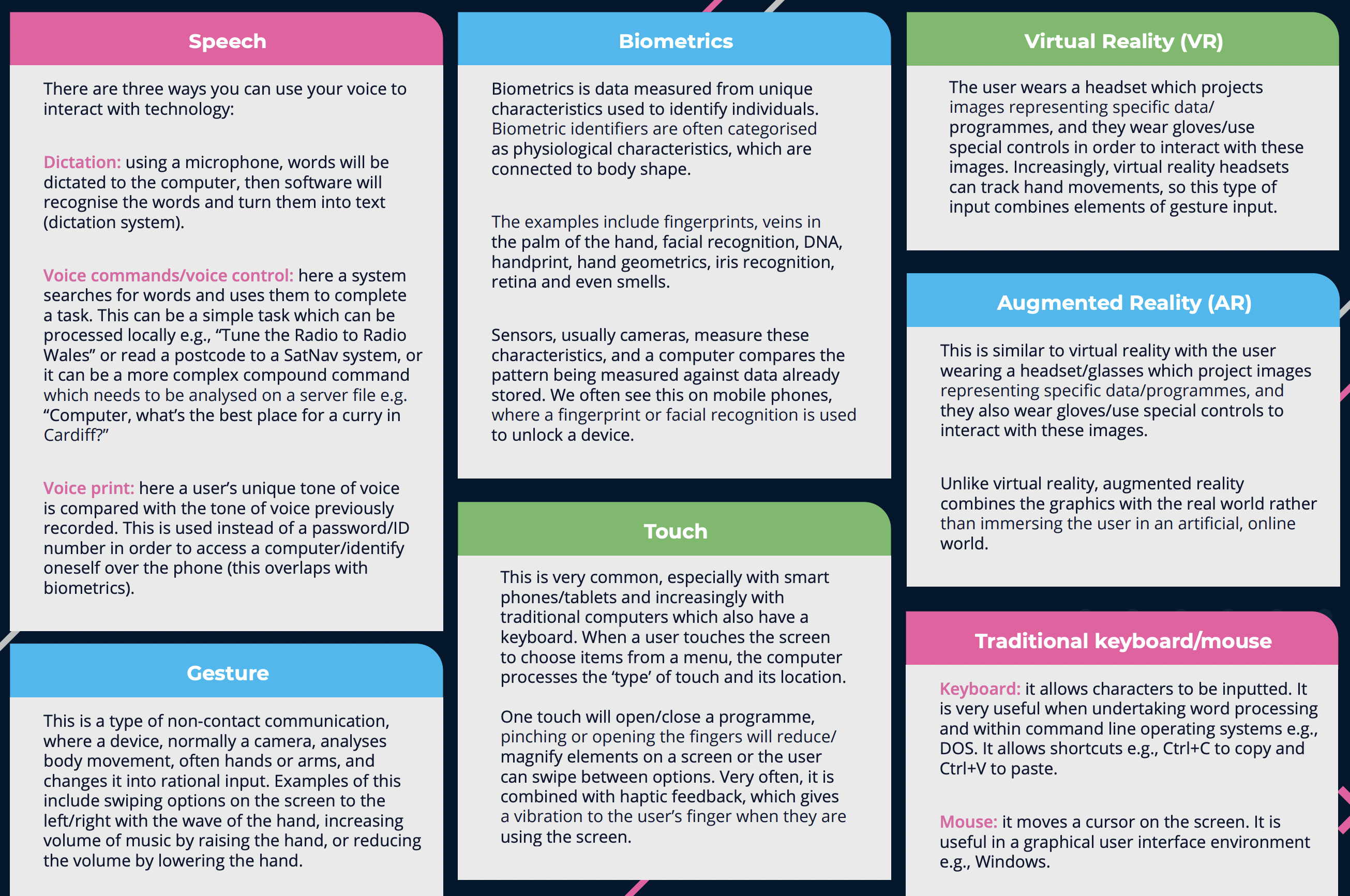
Mouse
Trackpad
Touch Screen
Keyboard
Microphone
Camera
Microphone
Camera
Accelerometer
Sudden Motion Sensor
GPS Data
Project 2: HTML5, P5.js, and OOP (5 Points)
Due: Week 7, Session 2 (Beginning of Class)
Use HTML5, P5.js and Object Oriented Programming techniques to create multiple animated shapes on a canvas that respond to mouse movement. Try to make the shapes chase the mouse pointer, rather than follow it directly. Try rotating shapes such as rectangles or triangles to reflect the position of the mouse.
Requirements:
1. Setup your HTML5 and P5.js environment
2. Create a class with a constructor and methods to build and animate the objects
2. Use the setup() and draw() functions to animate 20 or more objects
3. Use mouseX and MouseY to cause the shapes to respond to mouse movement
4. Try rotating the shapes in response to the mouse movement
5. Try causing the shapes to gravitate toward the mouse rather than following it directly
// Simple OOP example
var sp; // Declare the object

function setup() {
  createCanvas(500, 500);
  background (25);
  sp = new Spot(200,300,100); // Construct the object
}
function draw() {
  background(0);
  sp.display();
}
// function to define a class
function Spot(xpos,ypos,diameter) {
  // Construct the object
  this.x = xpos;
  this.y = ypos;
  this.d = diameter;

  // method to display the object
  this.display = function() {
    ellipse(this.x,this.y,this.d,this.d);
  }
}
Lab 2:In today’s lab let explore vectors and OOP as they might apply to Problem Set 3 and Assignment 2.