Session 1: After a brief presentation of the Project Portal assignments we will discuss the requirements for the Technical Exercise #1 Image Optimization. If time permits I will also demonstrate the techniques required to complete the exercise.
Technical Exercise 1: Image Optimization
Due: Session 1, Week 4 (3 points)
Download the Exercise Assets
Description:
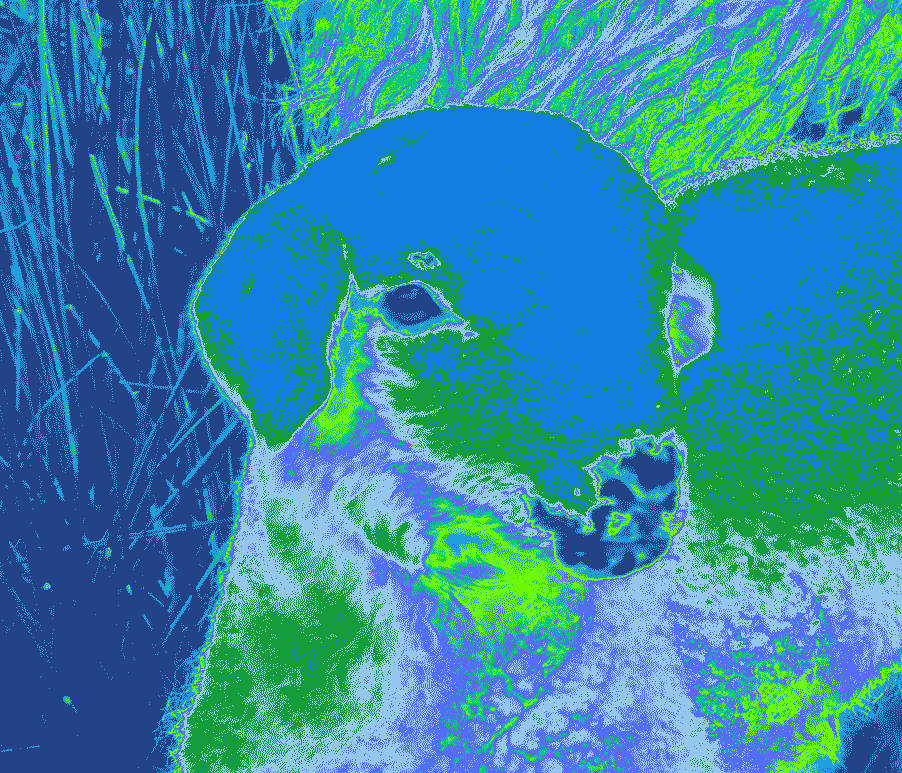
Use Photoshop or GIMP to optimize camera raw images as JPEGs and display them within a single web document. You may use camera raw images of your own, or you may use the provided camera raw images. Next, in the same document display some type converted to graphics using the transparent GIF format and the transparent PNG-24 format. Use a background color other than white and a typeface with plenty of curves to illustrate the advantage of alpha over index transparencies. Finally, experiment with an image of your own to create a 2 by 2 grid of 4 posterized images as an homage to pop artist, Andy Warhol. Create the posterized effect by manipulating the GIF color table in the “Save for Web” dialog box within Photoshop.
Free Photoshop alternative GIMP can also be used to produce this exercise. This video describes how to optimize images for the web using GIMP:
https://youtu.be/B8BUMHuG8Qk
Required reading:
What’s the difference between a jpg, gif, png and svg?
What’s a pixel on screens and in digital images?
Requirements:
1. Create a single web page that documents the tasks listed below
2. Optimize the provided raw images into an appropriate web format
3. Display type converted to graphics using both GIF and PNG-24 formats
4. Produce a grid of your own images manipulated via the GIF color table
5. Add the files and folders to your environment and copy them to your webspace
6. Upload your exercise before class starts on session 1 week 4.
Points Breakdown:
1 point awarded for effectively optimizing the raw images into an appropriate web format
1 point awarded for using type converted to graphics to illustrate the advantage of alpha transparency
1 point awarded for creating a grid of experimental images by manipulating the GIF color table
Session 2: Today we will wrap up demonstrations for the image optimization exercise. Specifically we will place the images we processed into an HTML document and connect it to the project portal. NOTE: automatic code formatting is a feature of many IDEs and text editors that makes formatting your code simple and instantaneous. This article explains how to enable auto code formatting in Visual Studio Code. The key commands are as follows:
Windows: Shift + Alt + F
macOS: Shift + Option + F
Linux: Ctrl + Shift + I
After the demo we will begin discussing the Basic Portfolio Project. This project is designed to allow students to focus on color, design, layout, type treatments, syntax, markup, and styles while creating a web application that features your work, contact information, and an artist statement.
Assignment 3: Basic Portfolio Project
Due: Session 2, Week 8 (25 points)
Description:
Produced and design a web based portfolio. Your web application will feature a minimum of five content areas including work, artist statement, resume, and contact. The work area may breakout into multiple pages to feature up to five specific projects. It’s your job to create an identity and consistent design scheme. Incorporate images of your work, writings, and/or other media such as embedded video or audio. Build a user interface that includes universal navigation, and type treatments using HTML5 and CSS. Pay special attention to type, colors, layout, styles and positioning.
Requirements:
1. Organize your content into a minimum of five content areas
2. Create a consistent design scheme and apply it to your template
3. Include universal navigation on each page to get to every content area
4. Incorporate optimized images appropriate for the content into each page
5. Format type, images, and the positioning of the content with CSS
6. Upload to your personal webspace before class on session 2 of week 8
Points Breakdown:
6 points will be awarded for designing an effective layout for the content and interface items
5 points will be awarded for a consistent and distinct universal navigation system
4 points will be awarded for placement, optimization, preparation, and choice of images
5 points will be awarded for carefully selected typefaces and type treatment
5 points will be awarded for the clarity of your presentation






![Get More Out of Google [infographic]](http://ust.johnkeston.com/wp-content/uploads/2025/09/google-640x7078-1-scaled.png)